Implement Hybrid Rich Text (TinyMCE) and Markdown Editor in Next.js
Hybrid Rich Text & Markdown Editor Implementation Guide
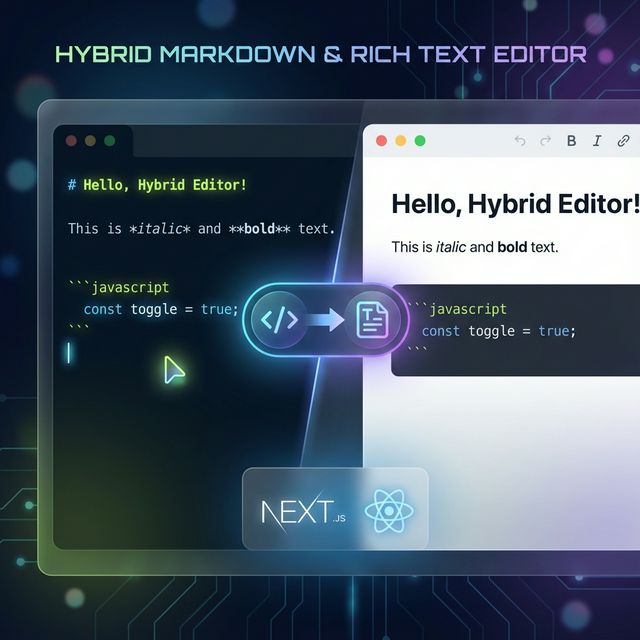
This workflow details how to implement a hybrid editor that supports both WYSIWYG (TinyMCE) and Markdown (@uiw/react-md-editor) modes, including automatic conversion between formats and universal rendering on the frontend.
1. Install Dependencies
Install the necessary packages for editors and conversion utilities.
pnpm add @tinymce/tinymce-react @uiw/react-md-editor @uiw/react-markdown-preview showdown turndown react-markdown rehype-raw remark-gfm lucide-react
@tinymce/tinymce-react: For Rich Text (HTML) editing.@uiw/react-md-editor: For Markdown editing with preview.showdown: Converts Markdown to HTML.turndown: Converts HTML to Markdown.react-markdown: Renders Markdown on the frontend.rehype-raw: Allows parsing HTML tags within Markdown (essential for hybrid support).remark-gfm: Adds GitHub Flavored Markdown support (tables, stikethrough, etc).lucide-react: For UI icons.
2. Create the Hybrid Editor Component
Create components/rich-text-editor.jsx (or .tsx). This component manages the state and toggles between editors.
Key Logic:
- State:
mode('markdown' | 'rich'). - Auto-Detection: Initialize
modebased on content (if it starts with HTML tags like<p>,<div, default to 'rich', else 'markdown'). - Toggle Handler:
- convert MD -> HTML using
showdown. - convert HTML -> MD using
turndown.
- convert MD -> HTML using
'use client';

import { useTheme } from 'next-themes';
import dynamic from 'next/dynamic';
import { useState, useEffect } from 'react';
import '@uiw/react-md-editor/markdown-editor.css';
import '@uiw/react-markdown-preview/markdown.css';
import * as Showdown from 'showdown';
import TurndownService from 'turndown';
import { FileCode, FileText } from 'lucide-react';

// Dynamic imports to avoid SSR issues
const MDEditor = dynamic(
    () => import('@uiw/react-md-editor').then(mod => mod.default),
    { ssr: false }
);

const TinyEditor = dynamic(
    () => import('@tinymce/tinymce-react').then(mod => mod.Editor),
    { ssr: false }
);

// Converter Setup
const markdownConverter = new Showdown.Converter({
    tables: true,
    simplifiedAutoLink: true,
    strikethrough: true,
    tasklists: true,
});

const htmlConverter = new TurndownService({
    headingStyle: 'atx',
    codeBlockStyle: 'fenced',
});

export function RichTextEditor({ value, onChange, placeholder }) {
    const { theme } = useTheme();
    const [mounted, setMounted] = useState(false);

    // Auto-detect initial format
    const isHtml = value && /<[a-z][\s\S]*>/i.test(value);
    const [mode, setMode] = useState(isHtml ? 'rich' : 'markdown');

    useEffect(() => { setMounted(true); }, []);

    const toggleMode = () => {
        if (mode === 'markdown') {
            const html = markdownConverter.makeHtml(value || '');
            onChange(html);
            setMode('rich');
        } else {
            const markdown = htmlConverter.turndown(value || '');
            onChange(markdown);
            setMode('markdown');
        }
    };

    if (!mounted) return null; // Placeholder skeleton here

    return (
        <div className="w-full space-y-2">
            {/* Toggle Button */}
            <div className="flex justify-end">
                <button onClick={toggleMode} className="...">
                    {mode === 'markdown' ? 'Switch to Rich Text' : 'Switch to Markdown'}
                </button>
            </div>

            {/* Conditional Rendering */}
            {mode === 'markdown' ? (
                <MDEditor value={value} onChange={onChange} ... />
            ) : (
                <TinyEditor value={value} onEditorChange={onChange} ... />
            )}
        </div>
    );
}
3. Implement Universal Frontend Rendering
The frontend display page must handle both raw Markdown and HTML string (from TinyMCE).
approach:
Use react-markdown with rehype-raw. This parses Markdown and passes safe HTML tags through to the browser.
In your page (e.g., app/(frontend)/writings/[slug]/page.tsx):
import ReactMarkdown from 'react-markdown';
import remarkGfm from 'remark-gfm';
import rehypeRaw from 'rehype-raw';

// ... inside your component
<div className="prose prose-lg dark:prose-invert ...">
    <ReactMarkdown
        remarkPlugins={[remarkGfm]}
        rehypePlugins={[rehypeRaw]} // Critical for Hybrid support
    >
        {content}
    </ReactMarkdown>
</div>
4. Styling (Tailwind Typography)
Ensure @tailwindcss/typography is installed and configured in app/globals.css or tailwind.config.js.
/* app/globals.css */
@plugin '@tailwindcss/typography';
Apply prose classes to the container wrapper to automatically style headers, lists, and blockquotes for both Markdown and HTML content.
          <div className='prose prose-invert prose-lg max-w-none
                        prose-headings:font-bold prose-headings:tracking-tight prose-headings:text-white
                        prose-p:text-gray-300 prose-p:leading-relaxed
                        prose-a:text-lime-400 prose-a:no-underline hover:prose-a:underline
                        prose-strong:text-white prose-strong:font-semibold
                        prose-code:text-lime-300 prose-code:bg-white/5 prose-code:px-1.5 prose-code:py-0.5 prose-code:rounded-md prose-code:before:content-none prose-code:after:content-none
                        prose-pre:bg-black/50 prose-pre:border prose-pre:border-white/10 prose-pre:rounded-xl
                        prose-img:rounded-2xl prose-img:border prose-img:border-white/10
                        prose-blockquote:border-l-lime-500 prose-blockquote:bg-white/5 prose-blockquote:py-2 prose-blockquote:px-6 prose-blockquote:rounded-r-xl prose-blockquote:italic'>
                        <ReactMarkdown
                            remarkPlugins={[remarkGfm]}
                            rehypePlugins={[rehypeRaw]}
                        >
                            {writing.content || ''}
                        </ReactMarkdown>
                    </div>